SStackora guideMenu ▾
Stackora guide
Two ways to build your site
With AI, the texts of every page are written in one pass. Without AI, you change them one by one in the page builder. Both give the same fast site.
Build your site and start selling in one day, with AI or without.
After the wizard imports a demo, your site is complete: pages, menus, images and texts. What is left is to make it yours. You can do it in two ways, and you can mix them.
The AI writes, you check
- Connect an AI provider in Settings → Connectors.
- Open Stackora → Setup wizard, step Ready.
- Describe your business in a few lines and click Write my pages.
- Preview each page, then Apply to my site.
- Replace prices, phone, address and photos yourself.
Every page and the site texts (top bar, header button, footer, coming soon page) in one pass. You can undo it.
You write in the page builder
- Open Pages and edit the home page.
- In Layout view, click an element: a title, a text, a button.
- Change the text in the Content tab, click Done.
- Repeat for each element, then Save.
- Do the same for the other pages and the site texts in Theme options.
Full control, word by word. The Agency home page, for example, has 33 elements: titles, texts and buttons.
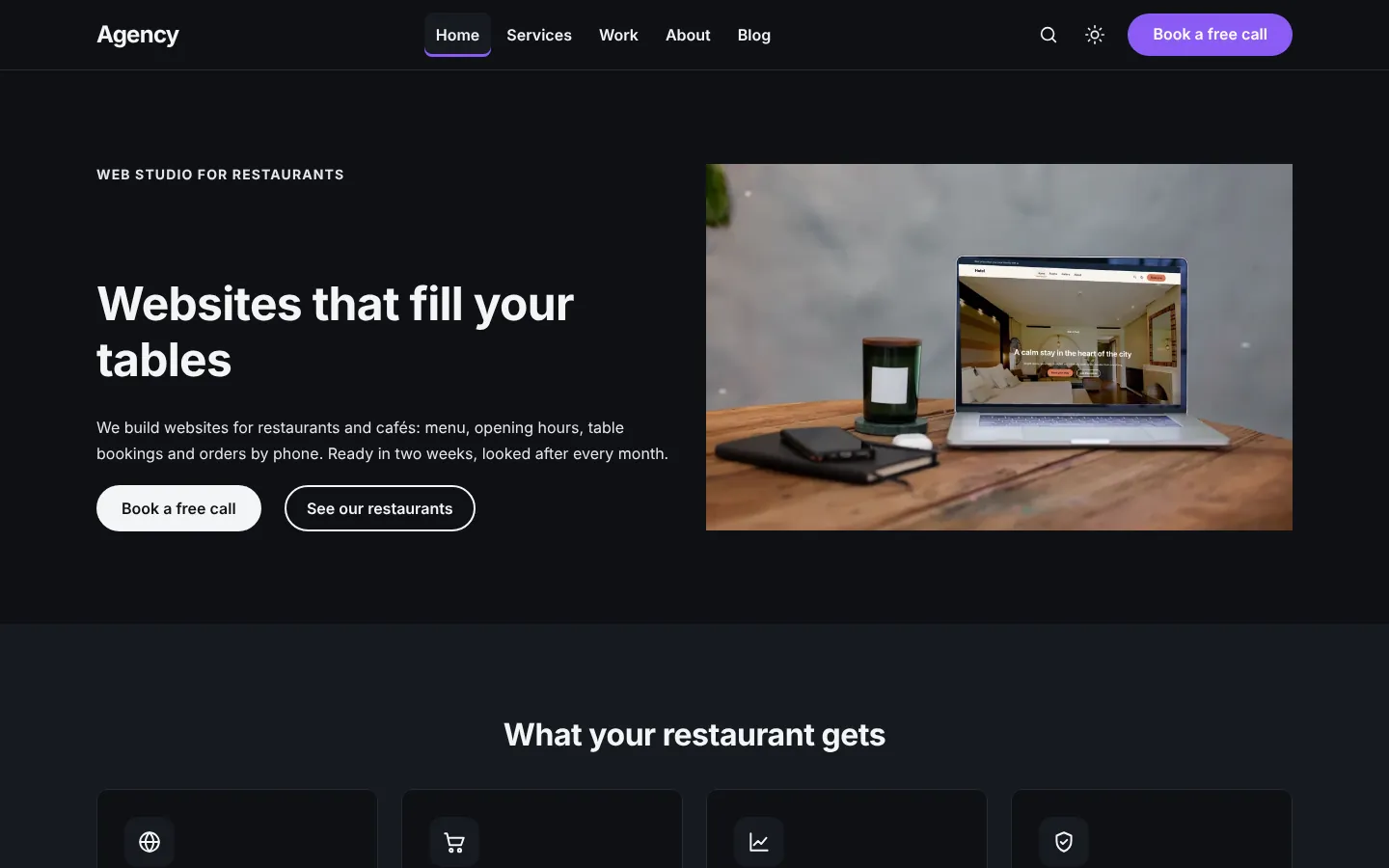
The same home page, before and after AI
Below, the Web agency demo turned into a studio that builds websites for restaurants. The AI changed only the texts: layout, images and links stayed in place.

Which way to choose
| With AI | Without AI | |
|---|---|---|
| Needs | WordPress 7.0+ and a connected AI provider (paid by usage, at your provider) | Nothing more |
| Texts for all pages | One click per site, a few minutes of waiting | Element by element, at your pace |
| Control | You preview every page before anything changes, and you can undo | Total |
| Prices, phone, address | Never invented: you add them | You add them |
| Typical time, fastest demo | About 1 hour: 10 minutes to install, then texts, photos and contact details | About 3 hours, most of it writing the texts |
| Best for | Agencies building many client sites, first drafts | Final wording, legal texts, brand voice |
Mix themMost people let the AI write the first version of every page, then polish the important lines by hand in the page builder. The Write with AI tab of each element also improves or shortens one text at a time.
Times are estimates for the Coach demo (4 pages, 3 articles, about 10 photos) when your texts and photos are ready.
Stackora by The Web Agency Stack · Screenshots taken on WordPress 7.1.4 with Stackora 0.9.20.