SStackora guideMenu ▾
Stackora guide
System status and help
Check your server, and answers to the questions that come up most.
System status
Stackora → System status checks your server: PHP version, memory, upload size, execution time, HTTPS and outside connections. Each line says what is recommended and why.
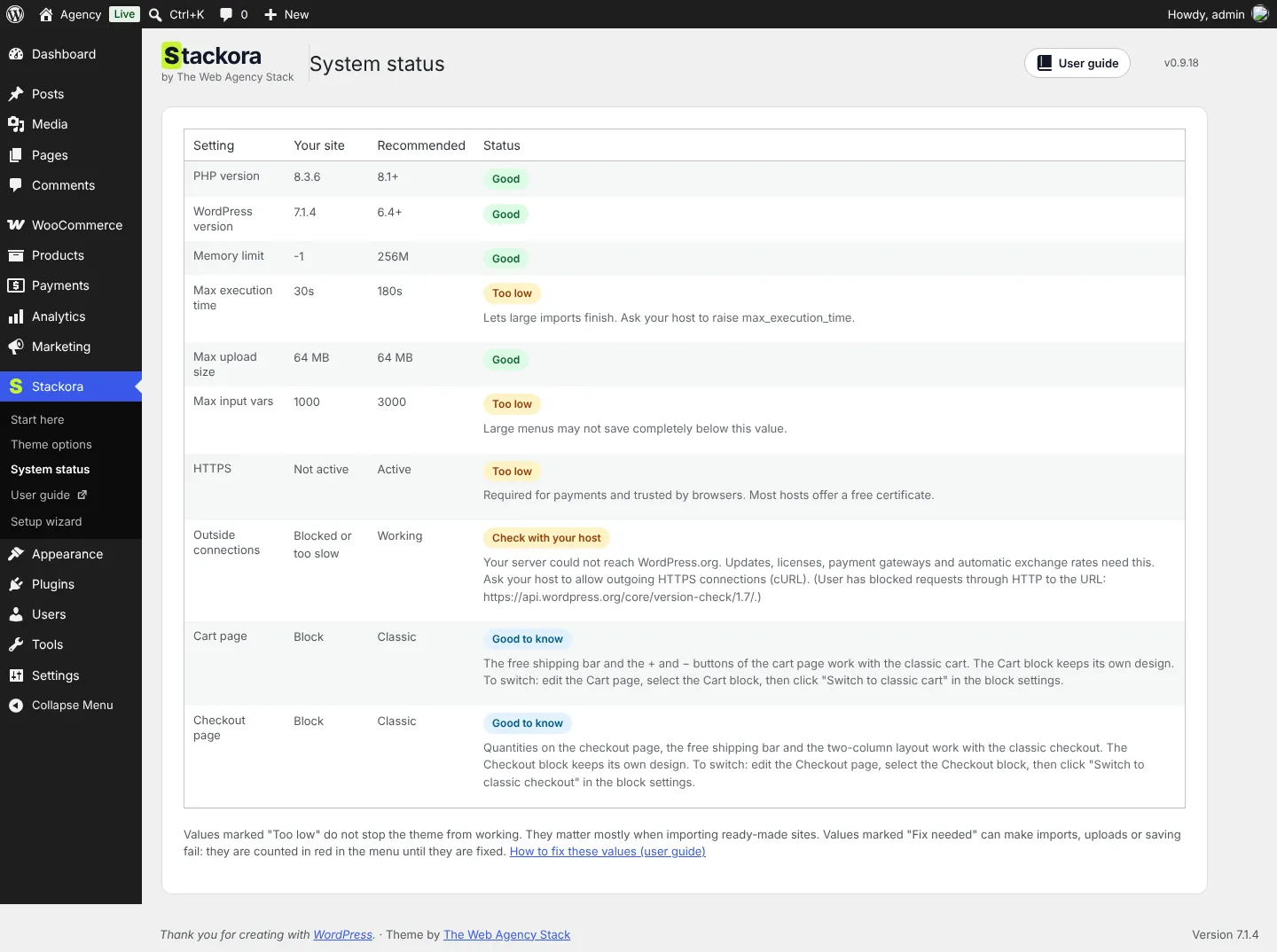
| Setting | Recommended | If it is lower |
|---|---|---|
| PHP version | 8.1 or newer (8.2 is a good choice) | Choose it in your hosting panel, for this site. |
| Memory limit | 256 MB | Needed to import a demo. Ask your host, or add define( 'WP_MEMORY_LIMIT', '256M' ); to wp-config.php. |
| Max execution time | 180 s | Lets the demo import finish. |
| Max upload size | 64 MB | Large images and theme updates. |
| Max input vars | 3000 | Large menus may not save completely below this. |
Some limits come from your hosting plan, and your host can usually raise them. If you are thinking of moving to a faster host, see the hosting we recommend.
Changed it but nothing moved?Hosting panels often set PHP per site or per version. Check the version WordPress really uses in Tools → Site Health → Info → Server, and edit the settings of that version, for that site.
Common questions
The demo photos did not download
The import used simple illustrations instead. Your server may block outside connections: see the last lines of System status. Replace the images with yours, or ask your host to allow outside connections and import again.
The AI buttons do not show
They need WordPress 7.0 or newer and a connected provider in Settings → Connectors, plus Stackora Page Builder active.
WooCommerce errors in the error log right after the wizard
Lines like “table … doesn’t exist” or “Duplicate entry ‘wc_installing'” come from WooCommerce creating its tables on the first activation. They appear once and are harmless. Check WooCommerce → Status: no red line means all is well.
Remove the demo
Stackora → Setup wizard → Remove demo content. Only what the demo created is removed; your previous settings come back.
SupportStackora is free and comes with this complete guide. Individual support is not included. Ideas and bugs: Start here → Send feedback.
Some links on this page lead to our recommendations. If you buy through them, we may earn a commission at no extra cost to you.
Stackora by The Web Agency Stack · Screenshots taken on WordPress 7.1.4 with Stackora 0.9.20.